
👤 How do I grant admin access?
Edited
Admin access can only be granted to users who are registered as learners. If the user is not registered as a learner, please add them first by selecting “Add New Learner.”
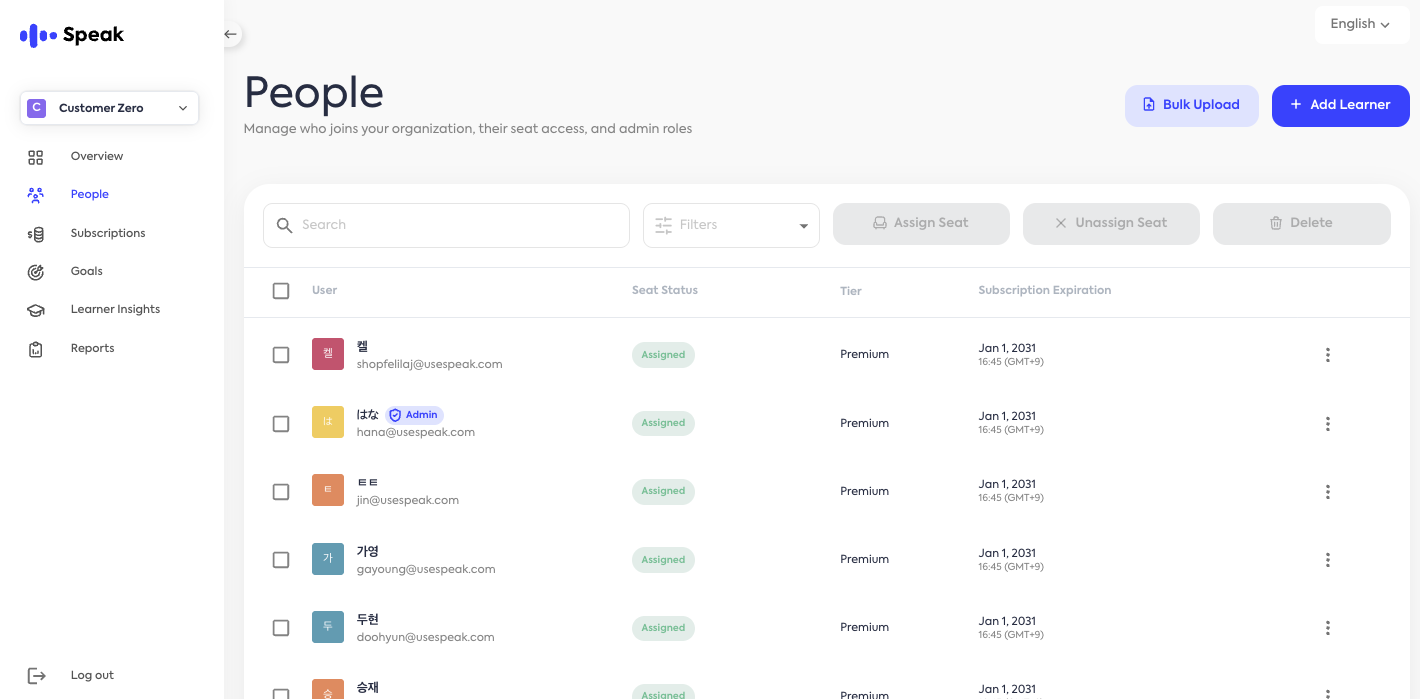
📌 Steps to Grant Admin Access
Select “People” from the left-hand menu
Select an existing user
Choose the user you want to grant admin access to from the list.
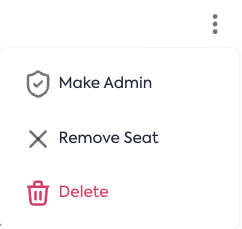
Click the three-dot (⁝) icon on the right
Click the three-dot icon (⁝) next to the selected user.
Click the “Grant Admin Access” button
Click the [Make Admin] button on the right side of the selected user.
Confirm Admin Access
Once access has been successfully granted, an Admin badge will appear next to the user’s name.

Administrators can log in to the admin page using their existing Speak ID and account.