📈 How can I check my learners progress?
As a Partner Admin, you can monitor learner engagement and progress at three levels within the portal: Overview, Learner Insights, and Individual Learner pages.
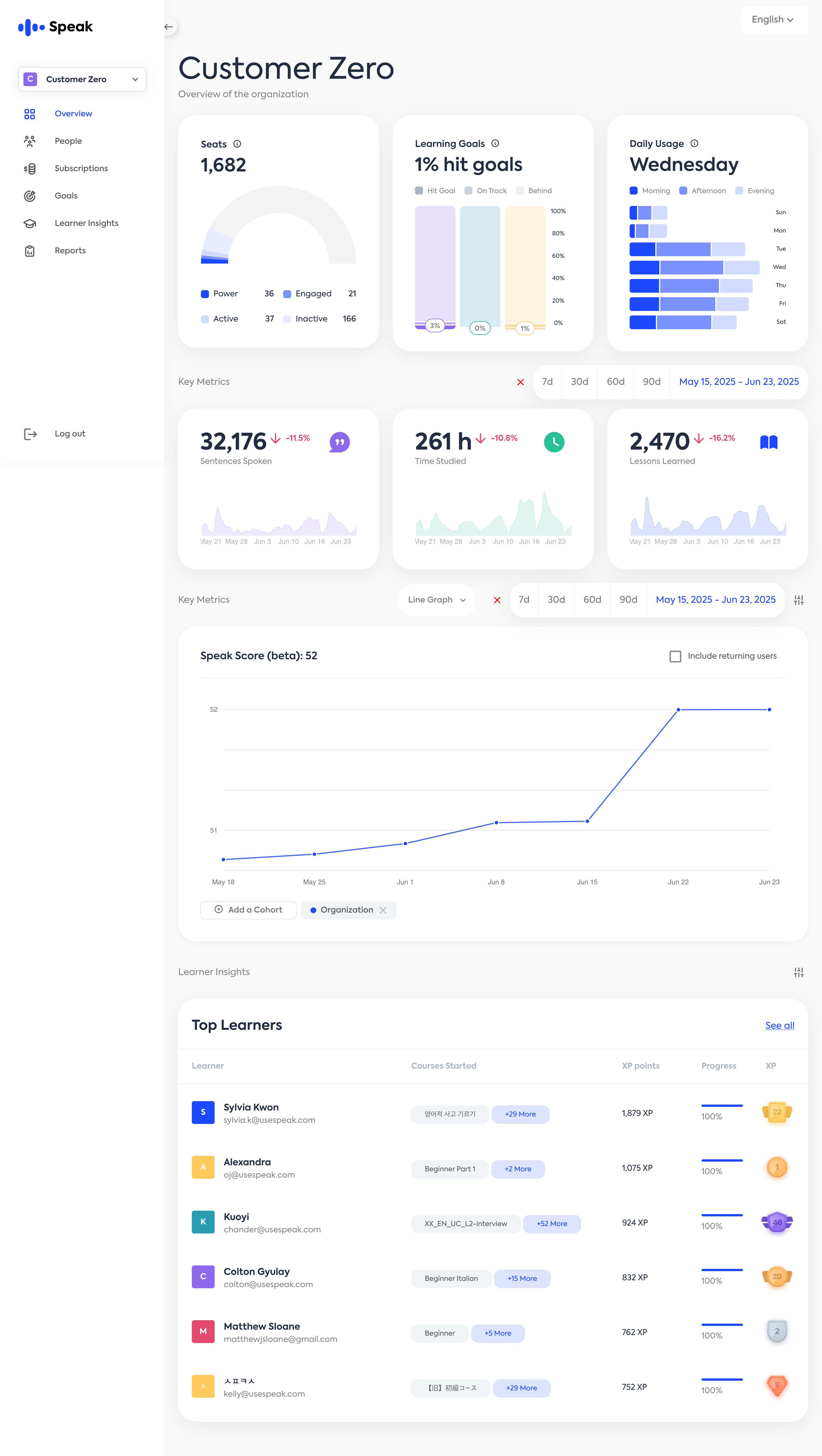
Organization Overview
Get a high-level snapshot of how learners across your organization are performing.
📊 Key Metrics (Graph View)
Visual charts highlight aggregate learning activity:
Sentences Spoken
Time studied
Learners Learned
👥 Learner Insights
A quick-access table showing a list of top learners
Learner Insights Page
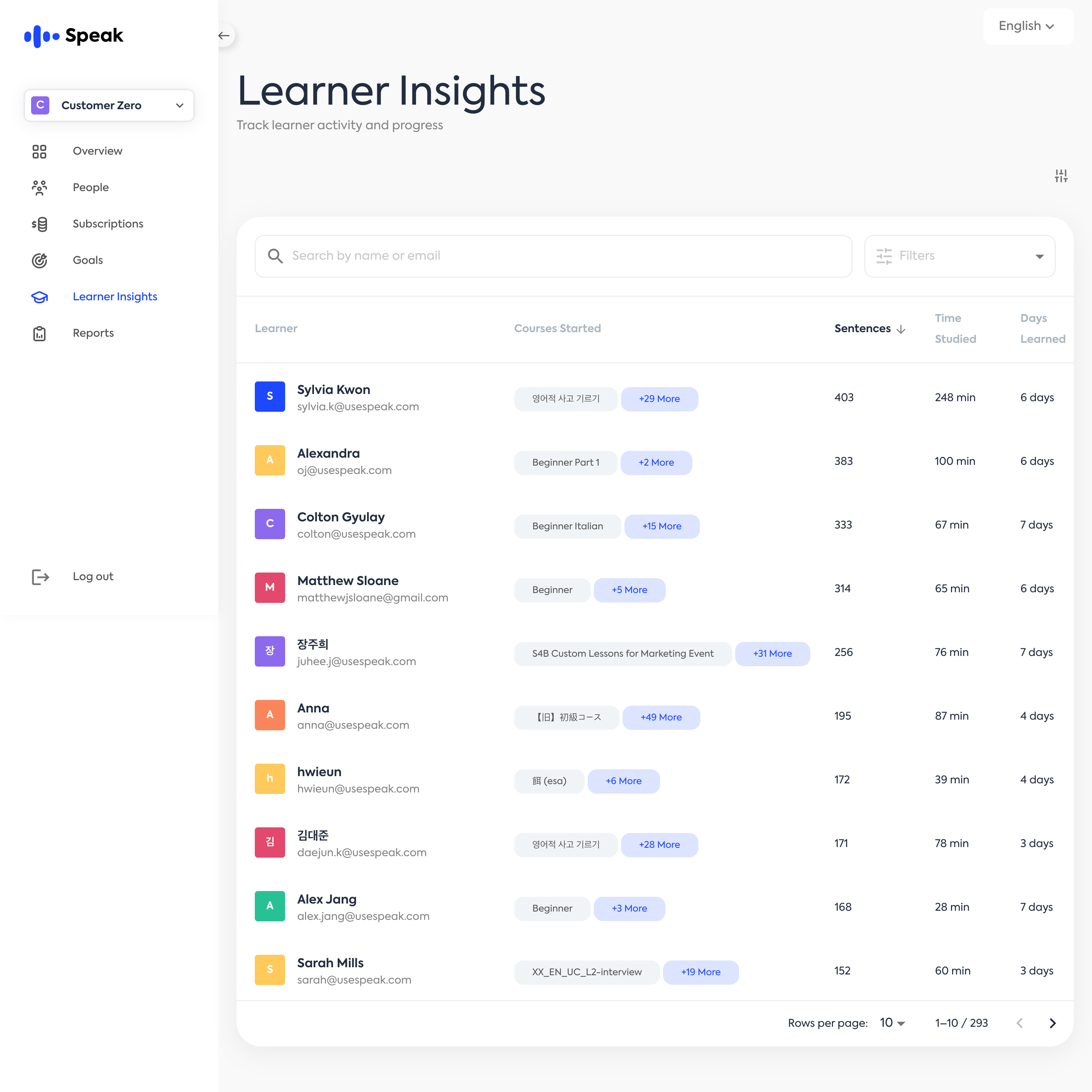
Dive into a detailed list of all enrolled learners for your organization.
🧭 Access the Tab
Click “Learner Insights” in the left-hand navigation menu after logging in at:
https://partner.speak.com/auth/login
📋 Learner Table View
Course started
Sentences
Time studied
Days learned
XP points
Progress
🔍 Learner Search
Use the search bar at the top of the page to find learners by name or email quickly.
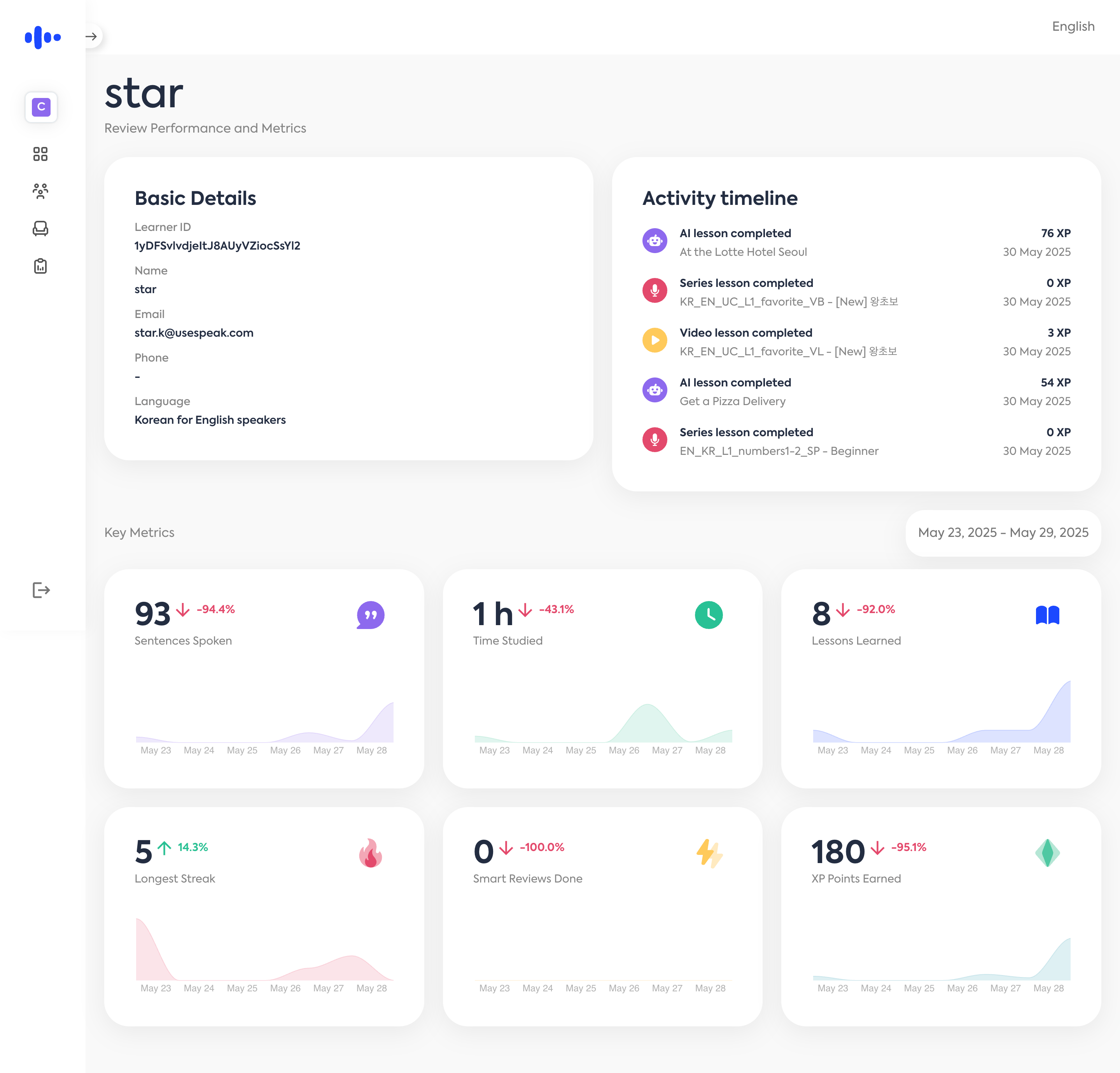
👤 Individual Learner Page
Click a learner row to get deep insights into each learner’s progress.